My Blog post pipeline
Summary
I want to build a personal blog to take notes of some tech related stuff.
First part is writing the blog. I choose Obsidian because it is very popular, easy to use and most importantly it is using markdown natively.
Second part is to render the blogs to be ready to host the internet. Because Obsidian is markdown based, then Hugo came into my sight because it support markdown rendering.
Final part is the hosting, i am familiar with AWS, so i want automate it with the pipeline to auto publish the blog posts from Obsidian to the AWS.
Basically there are two options in my mind,
- option 1 is API gateway + Lambda function
- option 2 is CloudFront + S3.
Both can work, but the option 2 is much lower in cost. So i choose option 2 for the hosting.
Even though i choose option 2, but i still created Dockerfile and build the docker image for local debug and ready to be used for Lambda container function as well.
Tech stacks
Obsidian, Hugo, AWS-CloudFront, AWS-S3, IaC (AWS-CDK)
The Setup
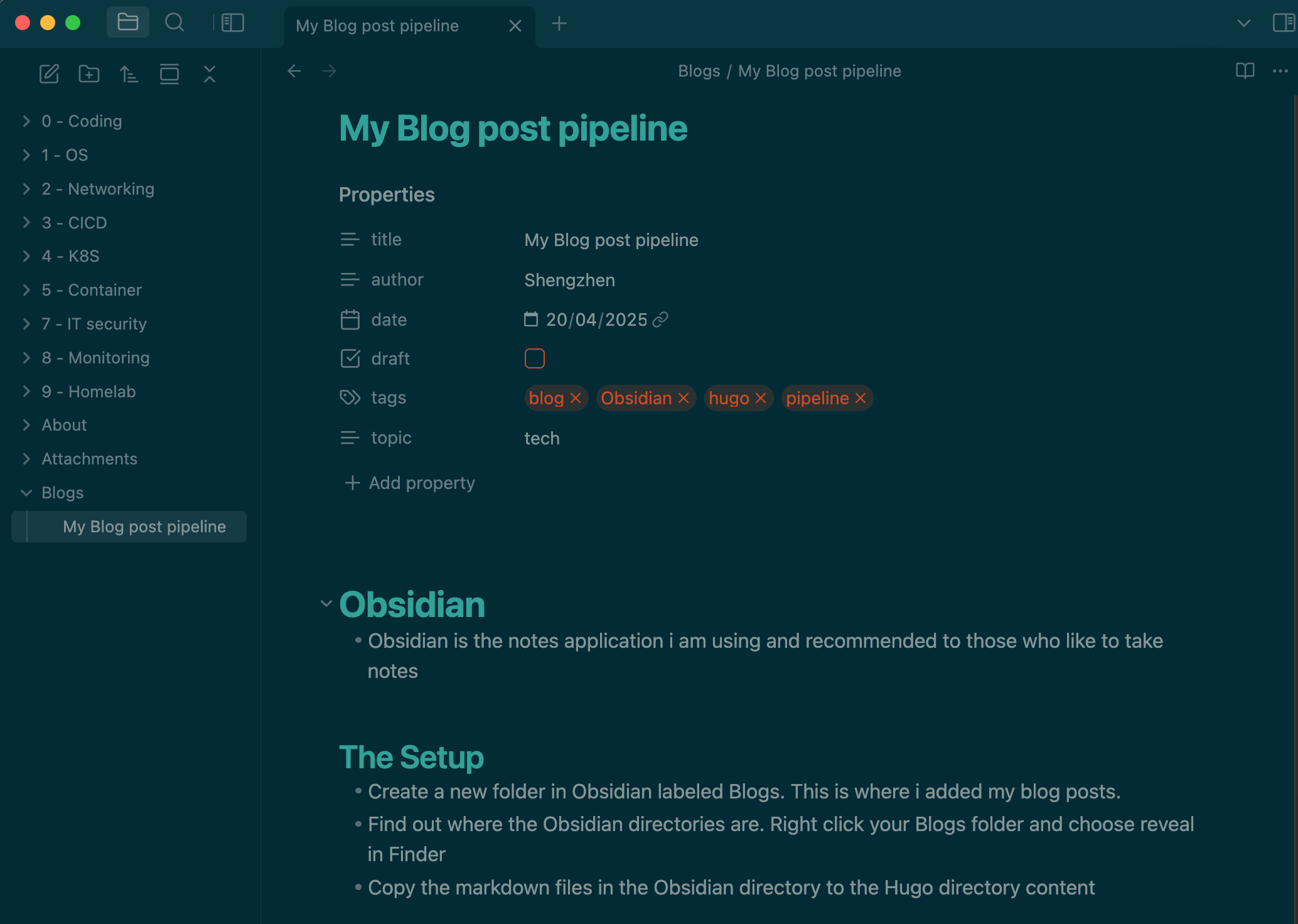
- Create a new folder in Obsidian labeled Blogs. This is where i added my blog posts.
- Find out where the Obsidian directories are. Right click your Blogs folder and choose reveal in Finder
- Copy the markdown files in the Obsidian directory to the Hugo directory content
!
hugo new site blog
cd blog
git submodule add -f https://github.com/panr/hugo-theme-terminal.git themes/terminal
git clone --branch v0.3.0 --single-branch https://github.com/dillonzq/LoveIt.git themes/LoveIt
mkdir -p content/posts
update hugo.toml
baseurl = "https://blog.shengzhen.cloud"
# Change the default theme to be use when building the site with Hugo
theme = "LoveIt"
title = "CloudTéa"

# language code ["en", "zh-CN", "fr", "pl", ...]
languageCode = "en"
# language name ["English", "简体中文", "Français", "Polski", ...]
languageName = "English"

# determines default content language ["en", "zh-cn", "fr", "pl", ...]
defaultContentLanguage = "en"

[outputs]
  home = ["HTML", "RSS", "JSON"]

[params]
  # site default theme ["auto", "light", "dark"]
  defaultTheme = "auto"
  # public git repo url only then enableGitInfo is true
  gitRepo = ""
  fingerprint = ""
  # LoveIt NEW | 0.2.0 date format
  dateFormat = "2006-01-02"
  # website title for Open Graph and Twitter Cards
  title = "CloudTéa"
  # website description for RSS, SEO, Open Graph and Twitter Cards
  description = "Welcome to my blog"
  ...

[lanuages]
  [languages.en]
  [languages.zh-cn]
sync markdown files from Obsidian to Hugo
rsync -av --delete "/Users/$(whoami)/Documents/obsidian/tech-notes/About/" "/Users/$(whoami)/github/blog/blog/content/about"

rsync -av --delete "/Users/$(whoami)/Documents/obsidian/tech-notes/Blogs" "/Users/$(whoami)/github/blog/blog/content/posts"

python3 copy-image-from-obsidian.py
Copy Obsidian images to Hugo
import os
import re
import shutil
import subprocess
cmd_result = subprocess.check_output("whoami", shell=True, text=True)
current_user = cmd_result.rstrip('\n')
# Paths
posts_dir = f"/Users/{current_user}/github/blog/blog/app/content/posts/"
attachments_dir = f"/Users/{current_user}/Documents/obsidian/tech-notes/Attachments/"
static_images_dir = f"/Users/{current_user}/github/blog/blog/app/static/images/"
# Step 1: Process each markdown file in the posts directory
for filename in os.listdir(posts_dir):
if filename.endswith(".md"):
filepath = os.path.join(posts_dir, filename)
with open(filepath, "r") as file:
content = file.read()
# Step 2: Find all image links in the format 
images = re.findall(r'\[\[([^]]*\.png)\]\]', content)
# Step 3: Replace image links and ensure URLs are correctly formatted
for image in images:
# Prepare the Markdown-compatible link with %20 replacing spaces
markdown_image = f"})"
content = content.replace(f"[[{image}]]", markdown_image)
# Step 4: Copy the image to the Hugo static/images directory if it exists
image_source = os.path.join(attachments_dir, image)
if os.path.exists(image_source):
shutil.copy(image_source, static_images_dir)
# Step 5: Write the updated content back to the markdown file
with open(filepath, "w") as file:
file.write(content)
print("Markdown files processed and images copied successfully.")
Make the Hugo website into a docker container and using Nginx as web server
nginx.conf
server {
    listen       80;
    server_name  localhost;

    location / {
        root   /usr/share/nginx/html;
        index  index.html;
        try_files $uri $uri/ =404;
    }

    # Custom error pages
    error_page 404 /404.html;
    error_page 500 502 503 504 /50x.html;
}
Dockerfile
# Stage 1: Build the Hugo site
FROM klakegg/hugo:0.111.3-ext-ubuntu AS hugo-builder

WORKDIR /src
COPY ./app /src

# Build the static site (output will be in /src/public)
RUN hugo --minify

# Stage 2: Serve the static site with Nginx
FROM nginx:1.23-alpine

# Copy the built static files from the Hugo builder to Nginx
COPY --from=hugo-builder /src/public /usr/share/nginx/html

# Copy custom nginx configuration (optional)
COPY .app/nginx.conf /etc/nginx/conf.d/default.conf

# Expose port 80
EXPOSE 80

# Start Nginx
CMD ["nginx", "-g", "daemon off;"]
Build docker image locally
export LOCAL_IMAGE=hugo-blog
export LOCAL_TAG=v1.0.1
docker build --no-cache -t ${LOCAL_IMAGE}:${LOCAL_TAG} .
Run the docker image
docker run --name hugo-blog -d -p 8080:80 ${LOCAL_IMAGE}:${LOCAL_TAG}
Checkout the blog in your browser via the link below http://localhost:8080
Push image to your Private Repository (Optional)
- AWS ECR
export AWS_REGION=us-west-2
export AWS_ACCOUNT=your-aws-account-id
export ECR_REGISTRY=${AWS_ACCOUNT}.dkr.ecr.${AWS_REGION}.amazonaws.com
export ECR_REPOSITORY=blog
# login AWS
aws sso login
# check existing ECR repos
aws ecr describe-repositories | jq -r '.repositories.[] | "RepoName: \(.repositoryName)"'
# create a ecr repo for blog (optinal if already exists)
aws ecr create-repository --repository-name ${ECR_REPOSITORY}
# login to ECR
aws ecr get-login-password --region ${AWS_REGION} | docker login --username AWS --password-stdin ${ECR_REGISTRY}
# tag the image
docker tag ${LOCAL_IMAGE}:${LOCAL_TAG} ${ECR_REGISTRY}/${ECR_REPOSITORY}:${LOCAL_TAG}
# push image to ECR
docker push ${ECR_REGISTRY}/${ECR_REPOSITORY}:${LOCAL_TAG}
- Docker Hub
export DOCKER_REPO=shengzhen4docker/blog
docker login --username shengzhen4docker
docker tag ${LOCAL_IMAGE}:${LOCAL_TAG} ${DOCKER_REPO}:${LOCAL_TAG}
docker push ${DOCKER_REPO}:${LOCAL_TAG}
Debug the Hugo site
hugo server --noHTTPCache --bind 127.0.0.1
And then you can view the Hugo Site by open it in browser at http://127.0.0.1:1313
Deploy to AWS
So now we have the Blog running locally. It’s time to get it deployed to AWS which i am going to use the S3 + CloudFront (Origin Access Control - OAC)
Github Repository Structure
my-blog-repo/
├── Dockerfile                   # Your existing blog Dockerfile
├── blog/                         # Your blog source code
│   ├── ...                      # (Hugo files)
├── infra/                       # CDK infrastructure code
│   ├── bin/
│   │   └── blog.ts              # CDK entry point
│   ├── lib/
│   │   └── blog-stack.ts        # Main stack definition
│   ├── scripts/                 # Helper scripts
│   ├── package.json             # CDK dependencies
│── └── cdk.json                 # CDK config
Infra setup
- CDK prepare
cdk version: 2.1018.1
typescript version: 5.6.3
node version: v22.16.0
npm version: 10.9.2
aws-cdk-lib: 2.200.1
- Initialize the CDK code
cd infra
npm install -g aws-cdk
cdk init app --language=typescript
- Deploy to AWS
cd infra/scripts
sh deploy.sh
Final pipeline
# 1. rsync posts from Obsidian to Hugo blog directory
# 2. copy image from Obsidian to Hugo blog static files directory
# 3. render Hugo static website
# 4. setup environment variables for CDK deploy
# 5. run CDK deploy to AWS CloudFront and S3

./infra/scripts/deploy.sh
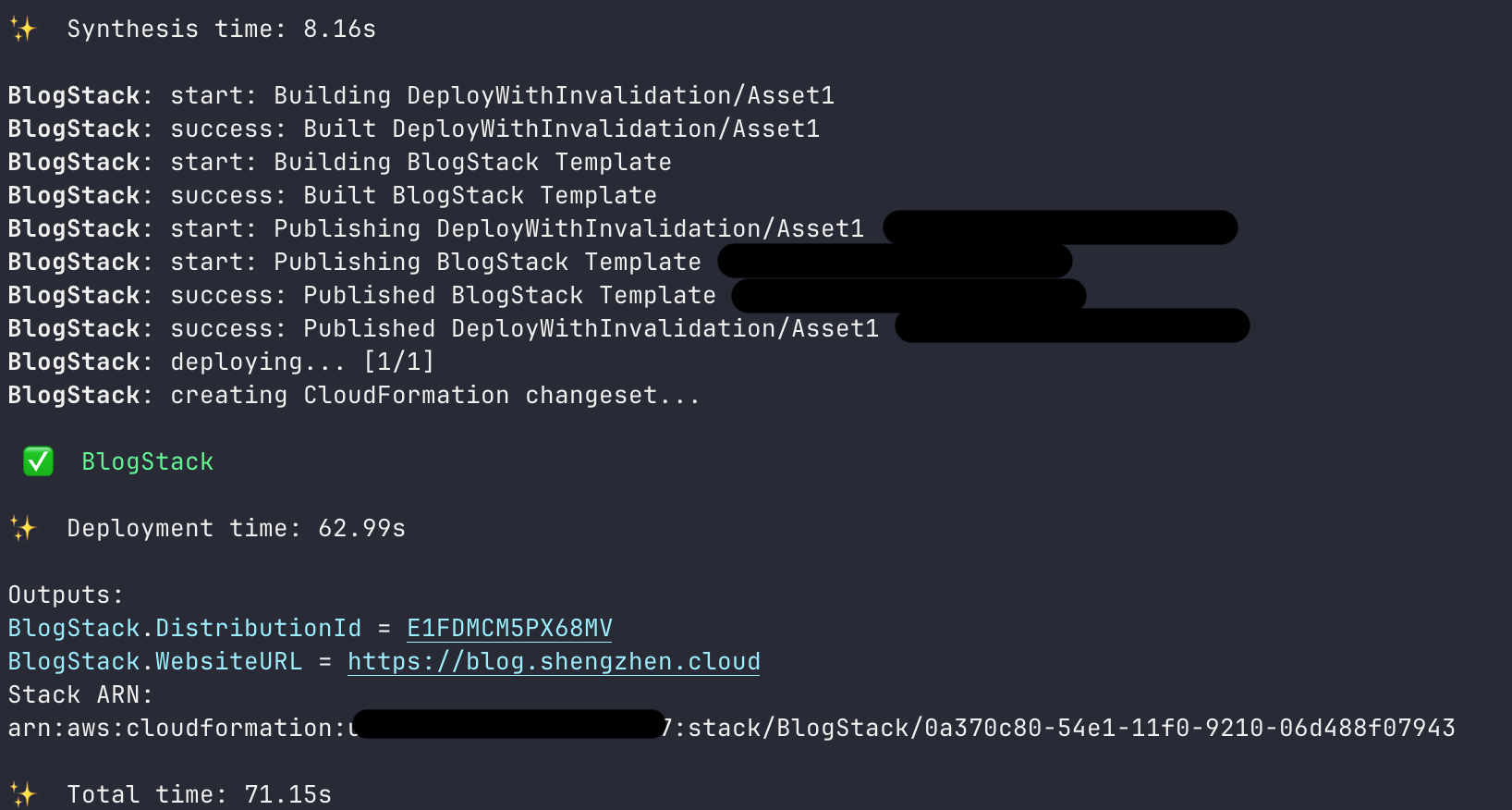
Deploy Results
!
ToDo
- CI/CD
- AWS CodePipeline + Github